
Clear reports for every teaching decision
See the class picture, understand individual answers and follow progress across assessments.
1. Class overview
See recorded results, the class average, median completion time and the distribution of scores.
English Class Overview (Light Mode)
Review recorded results, the class average, median completion time and score groups.
Example school records
Arabic Class Overview (Dark Mode RTL)
See class results and score distribution in the Arabic interface.
Example school records
2. Class results by student
Compare marks, percentage scores and completion times, then open an individual student report.
Compare each student’s marks, score and completion time, then open their report.
Example school records
3. Individual student report
See the current result separately from the overall score across recorded assessments. The example below includes nine assessments, including the current one.
In this example, 7 earned marks out of 10 gives a score of 70%.
In this example, 52 earned marks out of 90 available marks across nine recorded assessments gives 57.8%, rounded to one decimal place. This is an assessment-history summary, not a school-defined term grade.
Student Report in English (Nour Ahmed)
The example separates the current 70% result from 57.8% across nine recorded assessments, including the current one.
Example school records
Student Report in Arabic
Review current and overall assessment results, recorded assessments and PDF export in Arabic.
Example school records
4. Progress and assessment history
Follow scores in date order on the chart. Browse assessment history with the newest first, four assessments per page.
The chart follows scores in date order. Assessment history starts with the newest and shows four per page.
Example school records
5. Questions, answers and marks
Review each question, the student’s response, accepted answers, awarded marks and teacher feedback.
Review the student’s response, accepted answer, awarded mark and feedback for each question.
Example school records
6. Student PDF reports
Export a clear, printable report with your school’s identity, student details and assessment results. Private joining codes are excluded.
- Includes your school’s name, crest and founding details
- Keeps private student joining codes out of the report
- Clear English and Arabic reports for parent meetings
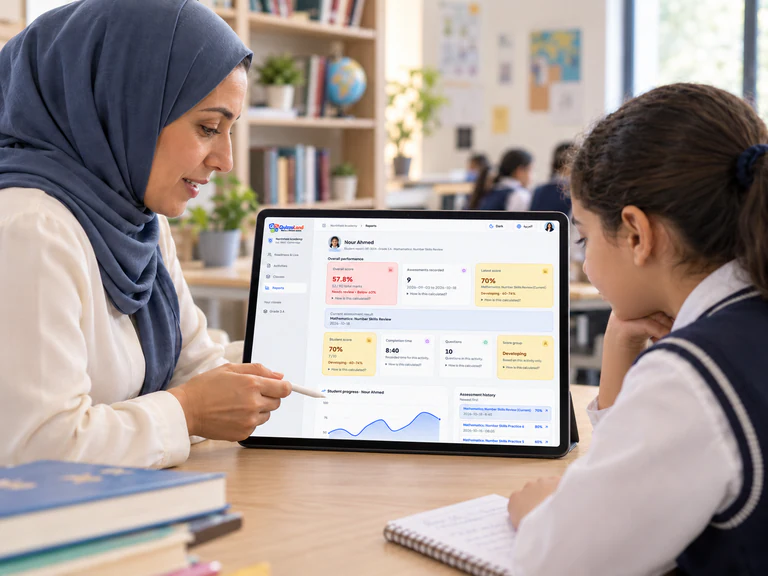
A student report becomes a conversation about the next step.
Interested in a package for your school?
See what is included and discuss the teacher accounts your school needs.