Run engaging assessments. See each student's progress.
Create quizzes, exams and competitions, run them with your classes, and follow each student’s answers and progress in your school’s own workspace.
Review recorded results, the class average, median completion time and score groups.
Example school records
From an activity to a clear report
See teachers prepare an activity, students take part, and results become clear, printable PDF reports.
Create, participate, review and export—all in one workflow.
Product screens show example school records.
From the first question to the next teaching step
A clear assessment process, guided by the teacher at every stage.
Prepare an activity
Create a quiz, exam or competition in English, Arabic or both. Start with your own questions or a ready template.
Choose the classes
Use the same activity with selected classes. Each class has its own session, activity code and results.
Students join
Students enter the activity code and their private 8-digit code, check their details and wait for the teacher.
Start together
Check who is ready, then start the assessment for your class.
Answer with confidence
Students see clear questions, the time remaining and the saving status of their answers.
Mark and release results
Questions with a defined answer key are marked automatically. Review work that needs teacher judgement, then release results according to your settings.
Plan the next step
Review class results, individual answers and progress over time. Export a student report with your school’s identity.
One assessment cycle, with a clear role for everyone
School administrators organise the school, teachers lead assessments, and students take part using their own codes.
Prepare, teach and follow progress
Create activities, save drafts and run assessments with your assigned classes. Monitor participation and connection status, mark responses and review student reports.
Review recorded results, the class average, median completion time and score groups.
Example school records
Made for everyday classroom teaching
Keep the class organised, help students stay focused and make time for useful feedback.
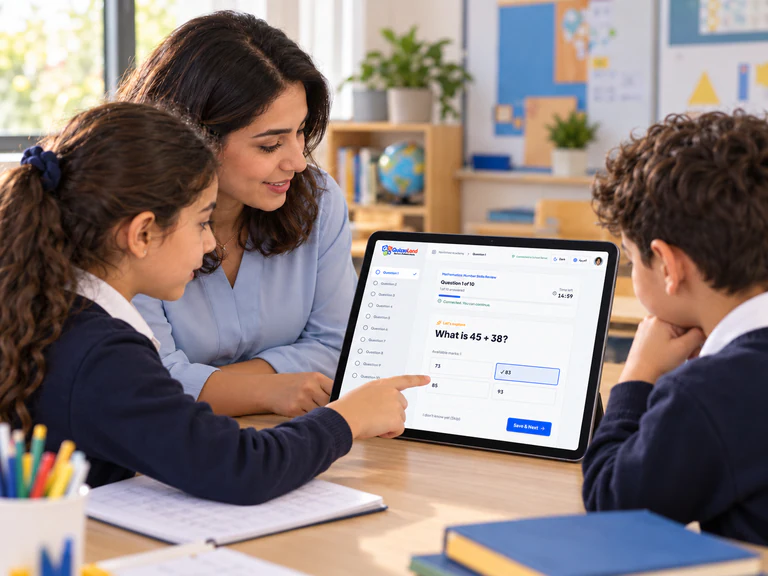
Guided practice with QuizzoLand on a tablet.
Understand the result. Decide what comes next.
Move from a class overview to each student’s answers and assessment history.
1. Class Overview & Score Distribution
76.2% averageReview recorded results, the class average, median completion time and score groups.
Example school records
This example shows 26 recorded results out of 30 students, a 76.2% average and a median completion time of 8 minutes 12.5 seconds.
2. Individual Report & History (Nour Ahmed)
70% current · 57.8% overallThe example separates the current 70% result from 57.8% across nine recorded assessments, including the current one.
Example school records
This student report example separates the current score of 70% from 57.8% across nine recorded assessments, and shows all ten responses.
One school workspace. A clear starting package.
Start with 20 teacher accounts, with additional accounts available by agreement. Student registration has no purchased per-student seat quota.