
Explore QuizzoLand
Online exams with teacher-controlled timing
QuizzoLand provides a structured classroom exam flow: students join, the teacher starts the assessment, answers are recorded and results are released according to the activity settings.
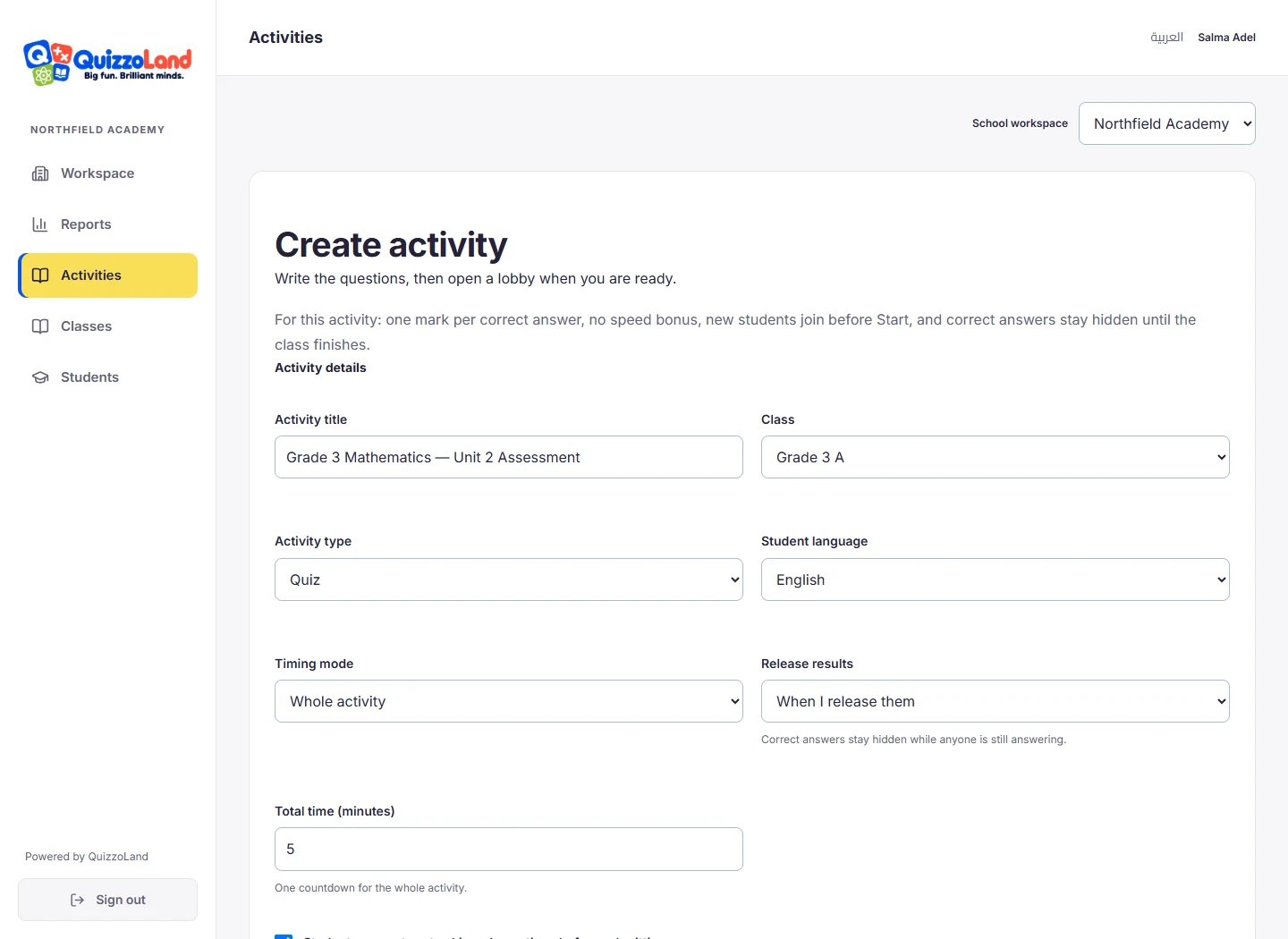
Three timing choices
Use a countdown for the whole exam when students should work independently. Alternatively, set one duration for each question, or select a different limit for individual questions. Available individual question presets include 5, 10, 15, 20, 30, 40 and 60 seconds. The server records the start and deadlines.
Independent progress within a total time limit
With whole-exam timing, students answer or choose “I don’t know”, then move to the next question. Some students may finish earlier than others. The teacher decides whether students can return to skipped questions before submission. This review flow belongs to the whole-activity timing mode; timed questions follow the shared question schedule.
A clear start and controlled release
Students wait after joining, so the teacher can check readiness before starting. The teacher can release results after the activity, or choose the supported automatic release setting after the activity ends. Answers are not revealed while classmates are still taking the assessment.
Review marks alongside time
Reports connect each student’s answers, marks and completion duration to the activity. A short completion time is not a measure of intelligence. Compare similar assessments and consider accuracy, reading needs, device familiarity and classroom conditions. The product is an assessment tool, not a remote-proctoring or cheating-detection service.
Common questions
Can students continue after a brief connection problem?
Accepted answers and the original deadline are preserved when a student reconnects. A connection interruption does not pause the exam timer; reliable internet is still required.
Can the school use its own logo?
Yes. The school logo appears in its administration, teacher and student workspace. School accounts start with 20 teacher seats, with more available by agreement.
Explore it with your school
The default school package includes 20 teacher seats and unlimited registered students. Contact us to discuss your school’s classes, languages, timing and device arrangements.
Talk to us